Fruit Forager Guides
Beginner walkthroughs through Tourmaline Zone T, Index trophies, and secret stations.
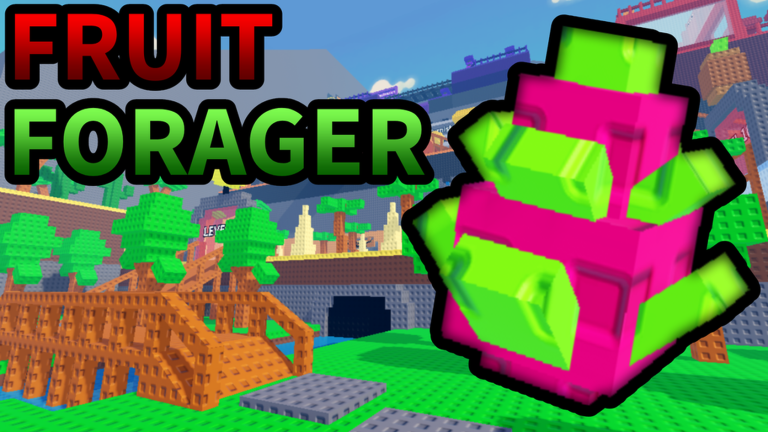
Welcome to the Fruit Forager guide library on Roblox. FaultyMarkus Games built a five-player online co-op collector where you gather roughly forty fruits, sell them for coins and XP, upgrade backpacks and gear, roll crates, complete Orders for tickets, and push into harder biomes from Forest to Volcano, Tourmaline, Greater areas, and event spaces like Mystic Forest. These guides explain the systems in order — no filler, no fake shortcuts.
If you installed the game today, start with Getting Started and Controls. They cover your first sell loop, inputs on PC/mobile, early upgrades, mutations (Juicy, Golden, Rainbow, Wet, Moonlit, Tourmaline, Frosty), and where tickets plus Mines fit into mid-game.
The header dropdown shows up to eight guides, then View all returns here—bookmark this hub when the list grows.
Core progression guides
Getting Started
Day-one checklist: first fruits, selling, backpack purchases, and when to leave Forest for Tundra.
Controls
PC and mobile inputs, glider keys, plot build actions, and sell interactions.
Fast Leveling
Efficient XP routes without wasting tickets—including Greater Volcano targets like Dread Dragonfruit.
Plot AFK Farm
Private plots, conveyors, Fig/Snowbloom notes, and a verified base-tour video.
Economy and gambling systems
Orders and Tickets
Five-minute Order cooldowns and ticket sinks across the economy.
Mines Guide
50 tickets per Mines Coin—when gambling helps versus saving for Tourmaline Crates.
Endgame systems
Unlock Zones
Forest through Greater and Mystic Forest gates.
Enchantments
Level 75+ Volcano Enchantment Area builds.
Tourmaline Zone
Stations A–D, Zone T fan elevator, Temple upgrades, and 750-ticket crate summons.
Index Completion
Fruits, Gear, Mutations, Furniture, and Crates tabs through prestige trophies.
Secrets
Hidden Station rooms, gullible ceiling, Index skin podium, and glider shortcuts.
How these guides fit together
Fruit Forager rewards layered goals rather than a single linear quest line. A practical mid-game session might look like this:
- Harvest or AFK your plot for Juicy or Golden stacks
- Complete an Order while waiting the five-minute timer
- Sell high-value fruits for coins and XP per Fast Leveling routes
- Bank tickets until you can afford intentional Mines pulls or crate purchases
- Push the next zone unlock and revisit enchantments at 75+ in Volcano
Server size is five players, so co-op friends can split zone coverage or share mutation callouts. Admin Abuse Saturdays 6 AM PST sometimes drops limited codes or world buffs — cross-check the Codes Hub before spending hard-earned tickets.
Other wiki sections
- Codes Hub — verified promos and redemption help
- Tier List Hub — fruit value rankings when subpages go live
- Updates Hub — patch notes and event schedules
- Wiki — mechanics glossary and quick facts
Suggested reading order
| Stage | Read these guides |
|---|---|
| First hour | Getting Started, Plot AFK Farm |
| Level 10–40 | Fast Leveling, Orders and Tickets |
| Mid-game | Unlock Zones, Mines |
| Volcano 75+ | Enchantments, Fast Leveling (Greater routes) |
Each guide includes FAQs at the bottom for search-friendly answers. When FaultyMarkus patches crate tables or ticket costs, we update individual pages rather than duplicating patch notes here — see Updates for changelog detail.
Frequently Asked Questions
Quick answers to the most common questions.
Which Fruit Forager guide should I read first?
Start with Getting Started, then Plot AFK Farm and Orders and Tickets. Add Unlock Zones when Forest gear feels easy.
Do these guides work for co-op servers?
Yes. Fruit Forager supports online co-op with up to five players per server. Plot and zone tips assume you may share space with friends.
Where are fruit tier rankings?
See the Tier List Hub for value rankings. Guides reference high-value targets like Dread Dragonfruit but focus on how to reach them.
How often are guides updated?
After major patches, Admin Abuse events, or when verified mechanics change. Minor typo fixes ship with content syncs.